If you're expecting to see a round but it's not showing up, here are the two places to look — and a few reasons it might be missing.
Where rounds appear
There are two places in GolfApp where your active round will show up:
1. The Home tab
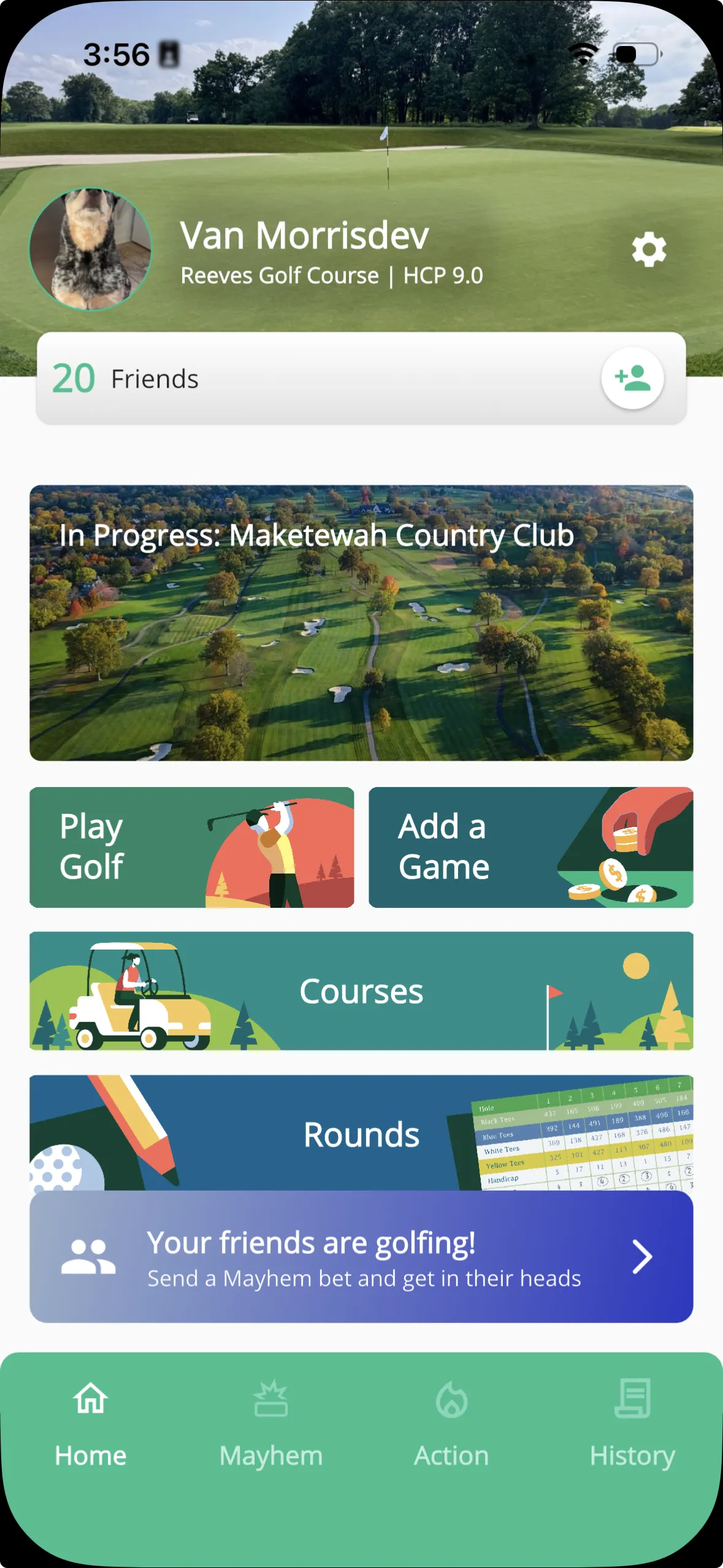
When you have an active round, it appears as a large banner near the top of the Home screen. If the course has imagery available, you'll see a rendering of the course right on the banner.
Tap it to jump straight into the round.
2. The Action tab
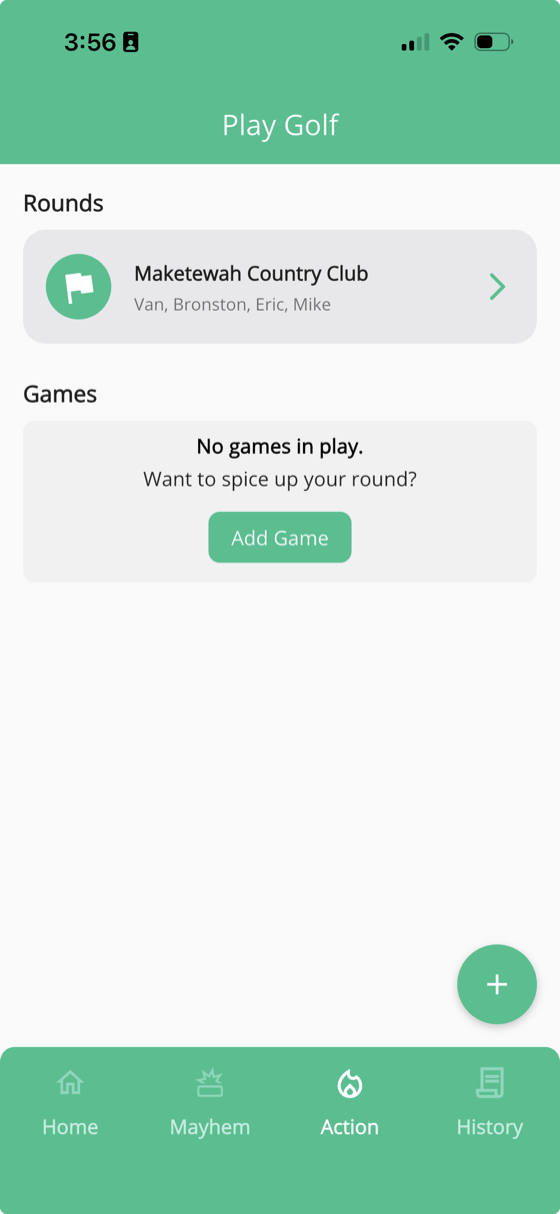
The Action tab is your go-to for managing rounds. Any round you're part of will be listed under the Rounds section. Tap the arrow to open it, or swipe to edit or delete.
Still not seeing it?
If your round isn't in either place, here are a few things to check.
Check the date
Rounds are tied to a specific day. If the organizer created it for the wrong date, it won't show up when you expect it. Ask them to double-check.
Make sure you were added
The round organizer may have created the round but forgot to include your account. Confirm with them that you're on the roster.
Check for duplicate accounts
If you've signed in with more than one phone number over time, you might have more than one account. The round could be attached to an account you're not currently using. Try signing in with your other number to see if the round appears there.
Tip: If you think you have duplicate accounts, reach out to your organizer or contact support so we can help sort it out.