A GAID (GolfApp ID) is a unique 6-letter code that identifies your account in GolfApp. Think of it like a username — except you don't pick it. It's assigned automatically when your account is created.
Why do GAIDs exist?
Sometimes your account is created before you ever open the app. A country club, tournament organizer, or commissioner might set things up ahead of time so everything is ready to go when you arrive.
Rather than waiting on every player to download the app and sign up, they can create accounts in advance. These "soft" accounts might include as little as your first and last name, or as much as your GHIN number and home course.
Your GAID is how you claim that account.
How to sign in with a GAID
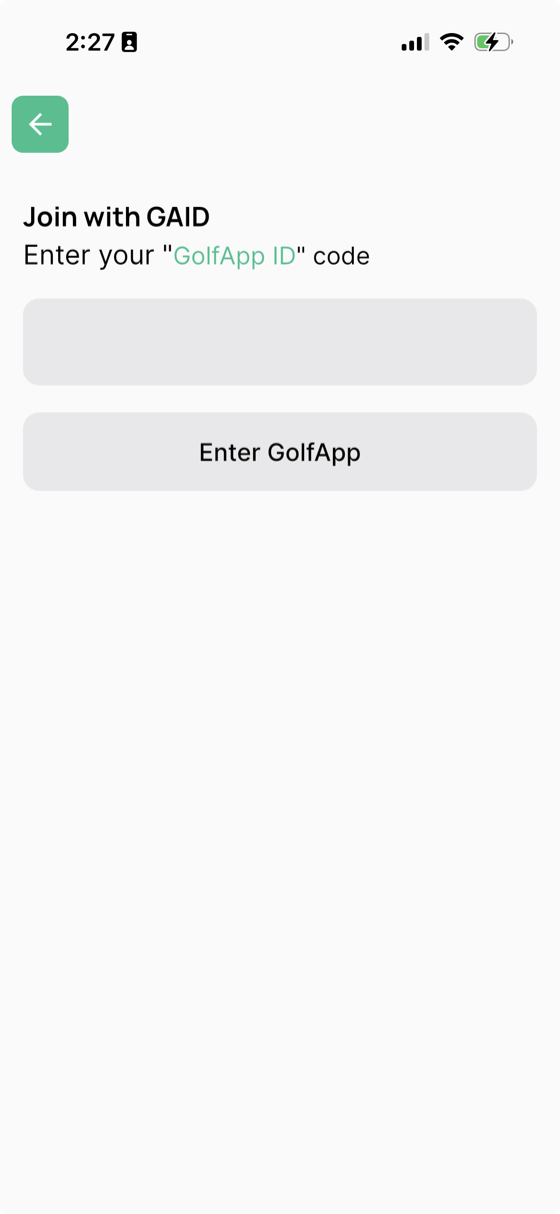
- Open GolfApp and tap Enter GAID on the sign-in screen
- Type in the 6-letter code that was shared with you
- Tap Enter GolfApp
That's it. Any rounds, games, or trip invitations already tied to that account will be waiting for you.
Where do I find my GAID?
Your GAID is typically shared with you by whoever created your account — a commissioner, club admin, or trip organizer. It might come via text, email, or a printed sheet.
If you're already signed in, you can find your GAID in your profile settings.
A few things to know
- GAIDs are always 6 letters (no numbers)
- Signing in with a GAID claims that account — it becomes yours
- Once claimed, you can link Apple, Google, or email sign-in to the same account
- If you weren't given a GAID, you don't need one — just sign up normally