Not everyone in your group will have GolfApp on day one. That's fine — there are a couple of ways to include them so nobody gets left out.
Best option: have them download the app
The ideal path is simple — have the person download GolfApp, create an account, and add you as a friend. Once they're in, you can add them to any round or game just like anyone else.
This gives them full access to their scores, game results, and round history going forward.
Option 2: Create an account with their phone number
If someone can't download the app right away, certain commissioner-level GolfApp members can create a new account on their behalf using their first name, last name, and phone number.
The account is real. It tracks scores, participates in games, and builds history just like any other account. When that person is ready to download the app, they sign in with that same phone number and everything will be waiting for them.
Option 3: Add a golfer manually
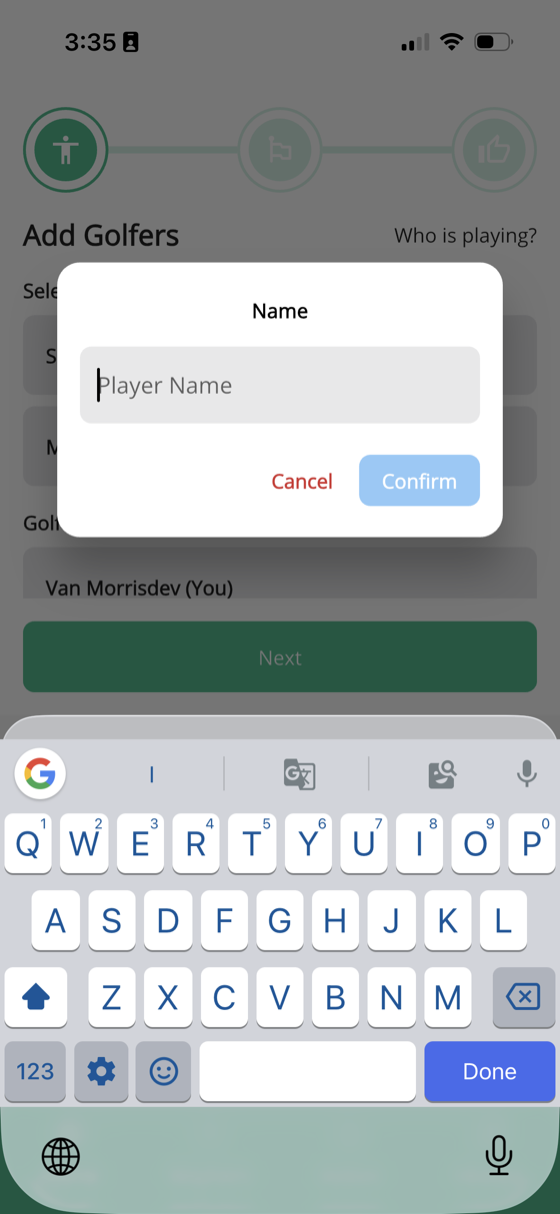
If you know someone won't be getting the app — or they just aren't worried about their data being saved long-term — you can add them manually.
During the first step of Play Golf, tap Add Golfer Manually. You'll enter:
- Player name
- Estimated handicap
That's it. They get added to the round and participate in all your games the same as everyone else.
Keep in mind: Manually added golfers aren't tied to a GolfApp account. Their scores and game results won't carry over to future rounds, and they won't appear in long-term stats or history.
Which option should I use?
- They'll eventually get the app — create an account with their phone number so their data is there when they're ready
- One-time guest or casual player — add them manually and keep it simple
- They have the app — have them sign in and add you as a friend