During game creation, each game has its own list of unique settings and toggles that can be adjusted to set the game up just how you like to play it.
Nassau
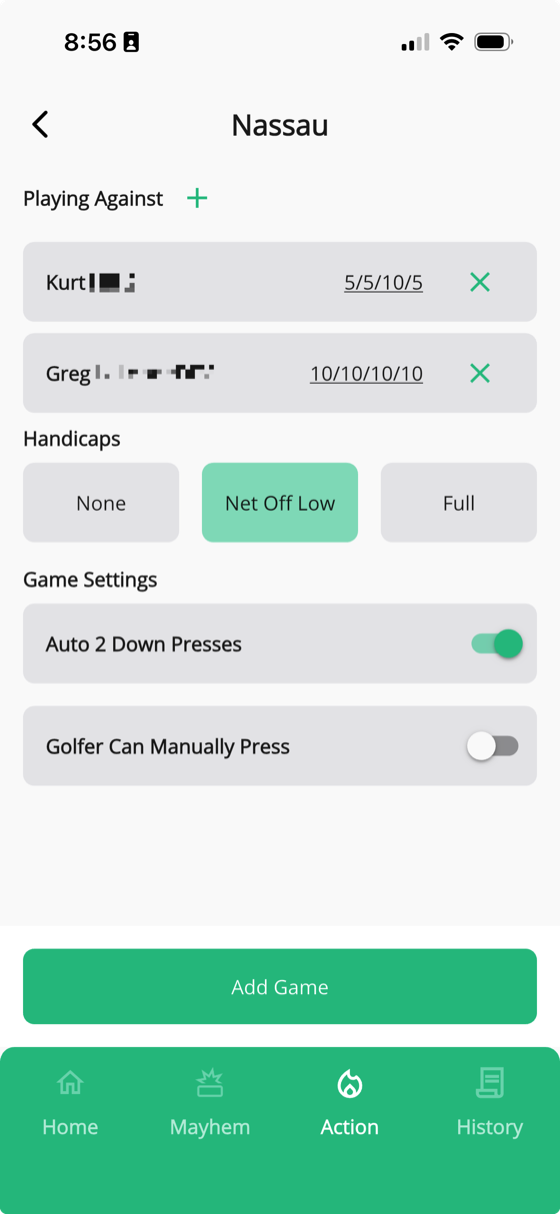
Nassau lets you pick individual opponents — you don't have to play everyone in the group. For each opponent, you set a per-golfer amount that applies across four bets: Front 9, Back 9, Overall, and Press.
You'll also choose a handicap setting:
- None — straight up, no strokes given
- Net Off Low — the lower handicap plays at scratch and the difference is given to the higher handicap
- Full — each player gets their full course handicap applied
Then there are the press toggles:
- Auto 2 Down Presses — automatically starts a new press bet when someone falls 2 down in any segment
- Manual Presses — lets either player press at any time during the round
Skins
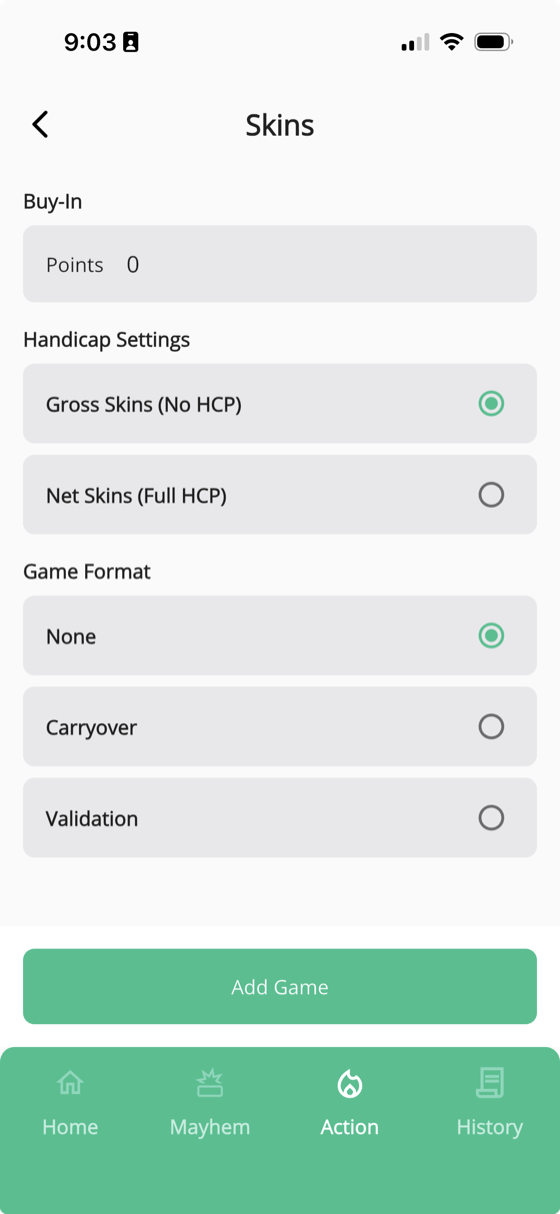
Skins starts with a Buy-In amount per player. The total purse is the buy-in multiplied by the number of golfers — so if four players each put in $5, the pot is $20.
You can choose between Gross and Net skins. Want both? Add one of each and you'll get two separate scorecards — one for gross and one for net.
A couple more options:
- Carryover — when no one wins a hole outright, the skin carries over and adds to the next hole's value
- Validation — requires a player to tie or win the following hole to keep a skin they just won
Wolf, Scotch, and others
Some games like Wolf and Scotch have fewer settings, but they work a little differently — instead of tracking traditional scoring, you enter the resulting points per golfer (or per team) on each hole. The app takes care of the rest.
Match Play and Stroke Play are more straightforward. What you see is what you get — minimal customization needed.
Don't see your setup?
If you don't see your exact game configuration or there's a variation we're missing, let us know. We're always adding new options based on how people actually play.