Games can be added at any point — before or during a round. Running late and rolling up on two wheels? No problem. Create your round first, then add games once you make it to the green.
From the Home tab
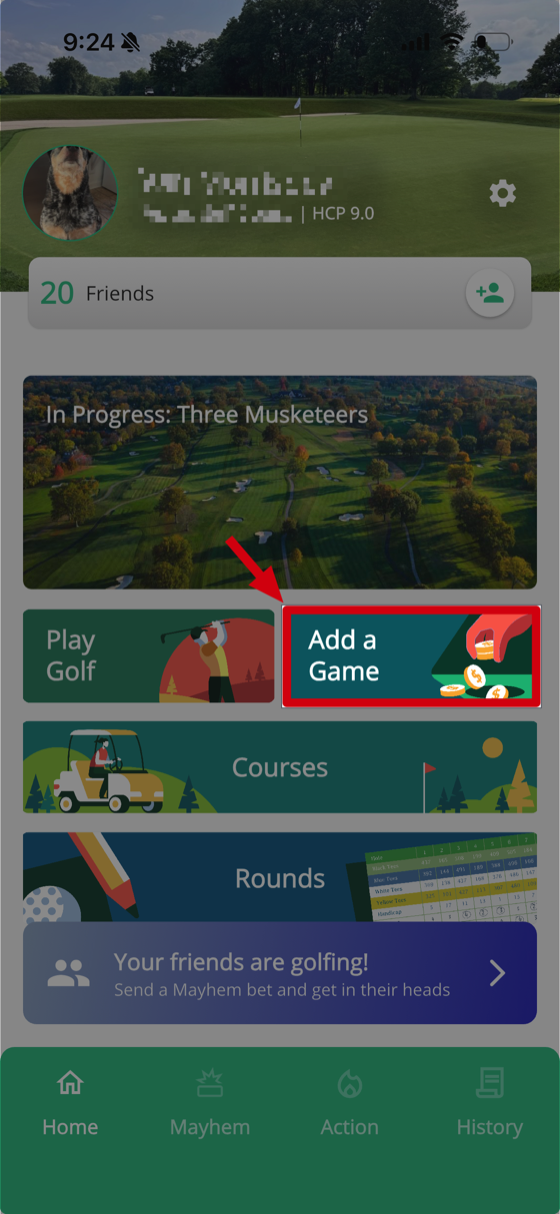
Tap Add a Game right from the Home tab. This is the quickest way to get a game going.
From the Action tab
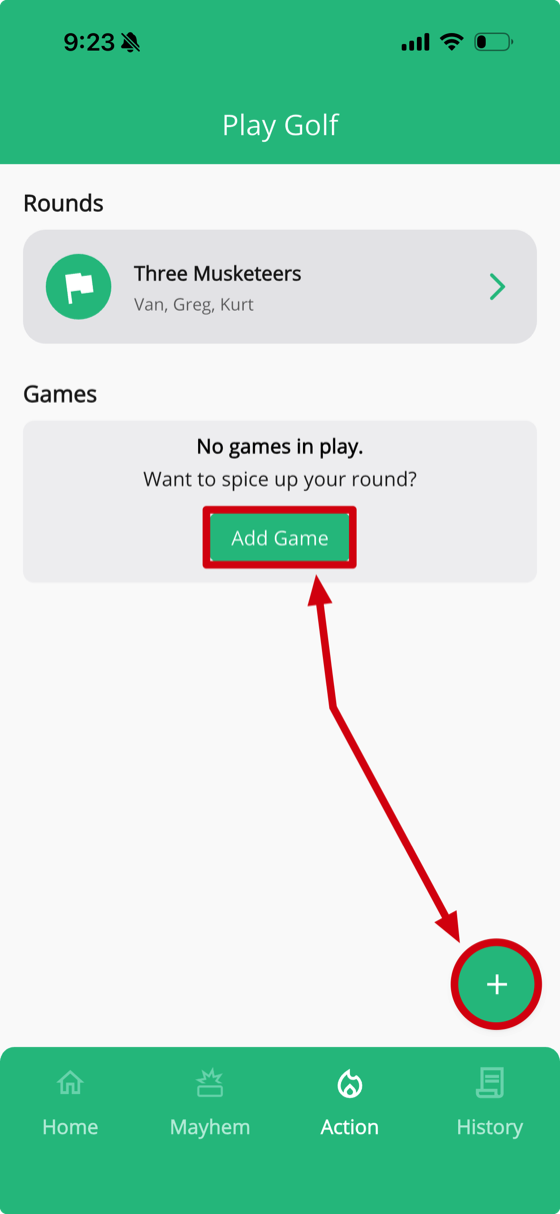
If no games are in play yet, you'll see an Add Game button under the Games section. Tap it to pick a game.
There's also a green + bubble floating in the bottom right. This lets you add a round or a game from anywhere on the Action tab — give it a try.
Picking a game

Once you tap Add Game, you'll see the full list of available games — Nassau, Match Play, Stroke Play, Skins, Nine Point, Chicago / Scotch, Wolf, and more. Tap the info icon next to any game to learn how it works before adding it.
Tip: Keep an eye on your Action tab — one of your friends or playing partners might add you to a game, too.