TV View turns your betting pool into a board you can hang on the wall. Every team, how much has been wagered on them, and the odds they're paying — big enough to read from across the grill room.
All you need is a computer connected to the TV. A laptop on an HDMI cable works fine.
Opening TV View
On the computer connected to the TV, open the pool on the web and pick your tournament. Click TV View, next to the join code.
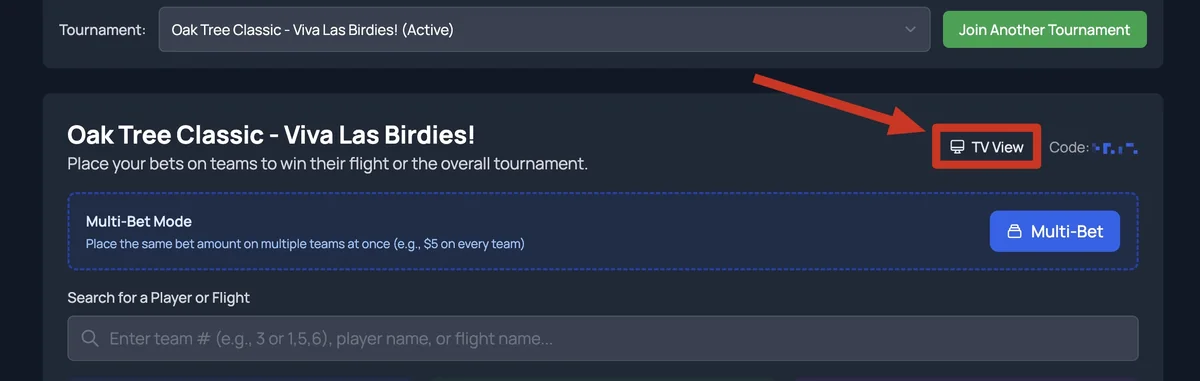
Then click Full screen in the control bar, and you're up.
The control bar

- Exit — back to the regular betting page.
- Rotate / All teams — how the board is laid out (more below).
- Interval — how long each screen stays up before moving to the next. 20 seconds is a good place to start.
- ← Play → — Play cycles through the screens on its own. The arrows step back and forward by hand.
- Full screen — fills the TV.
All teams
Shows as much of the field as fits — up to eight flights at once, each with its pool total. In a big field it pages through — a 144-team field is three pages — and the header tells you which page you're on (1 of 3).
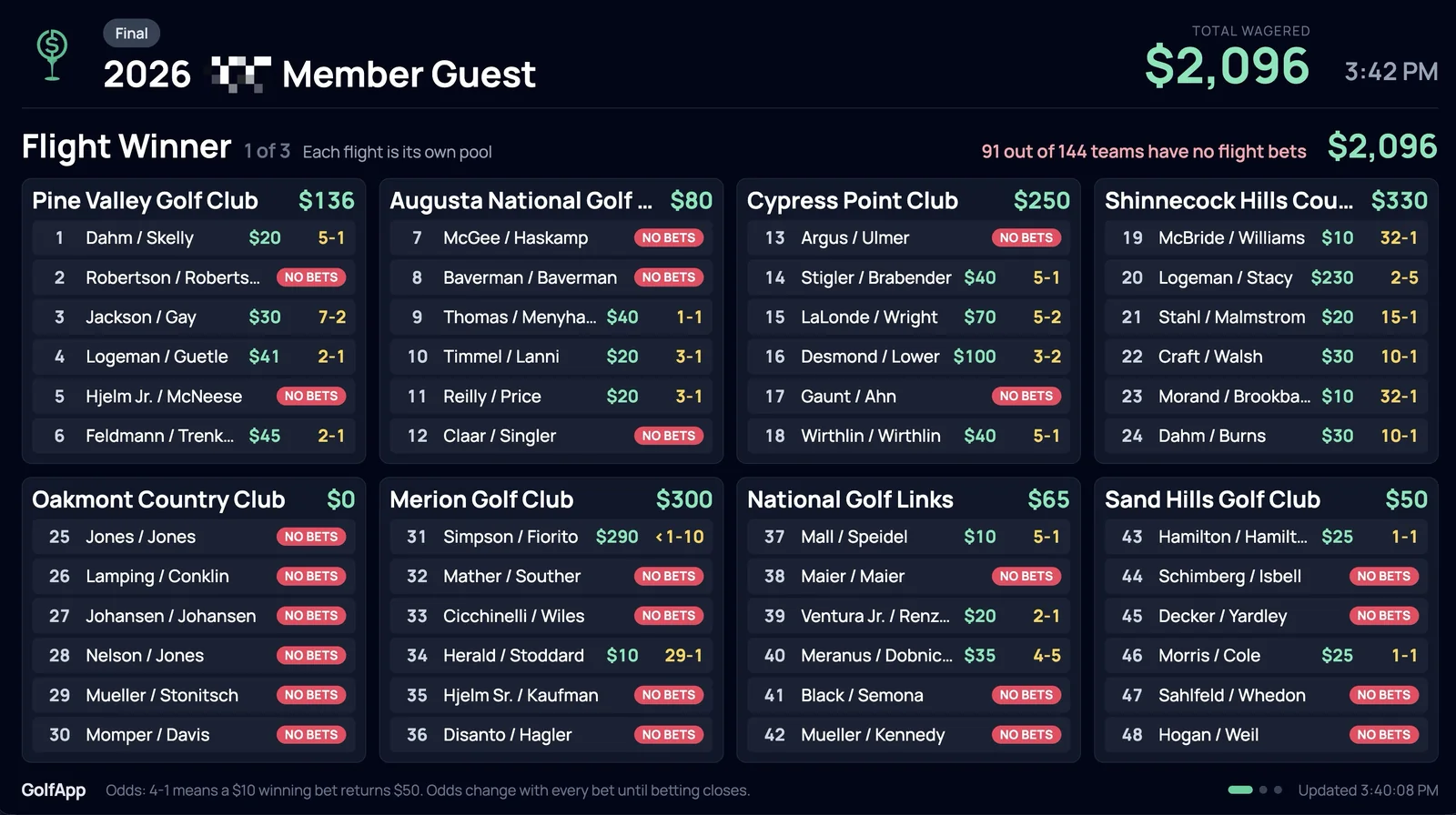
Teams nobody has backed yet show NO BETS, and the line in red at the top counts them. It's a good nudge for anyone walking past.
Rotate
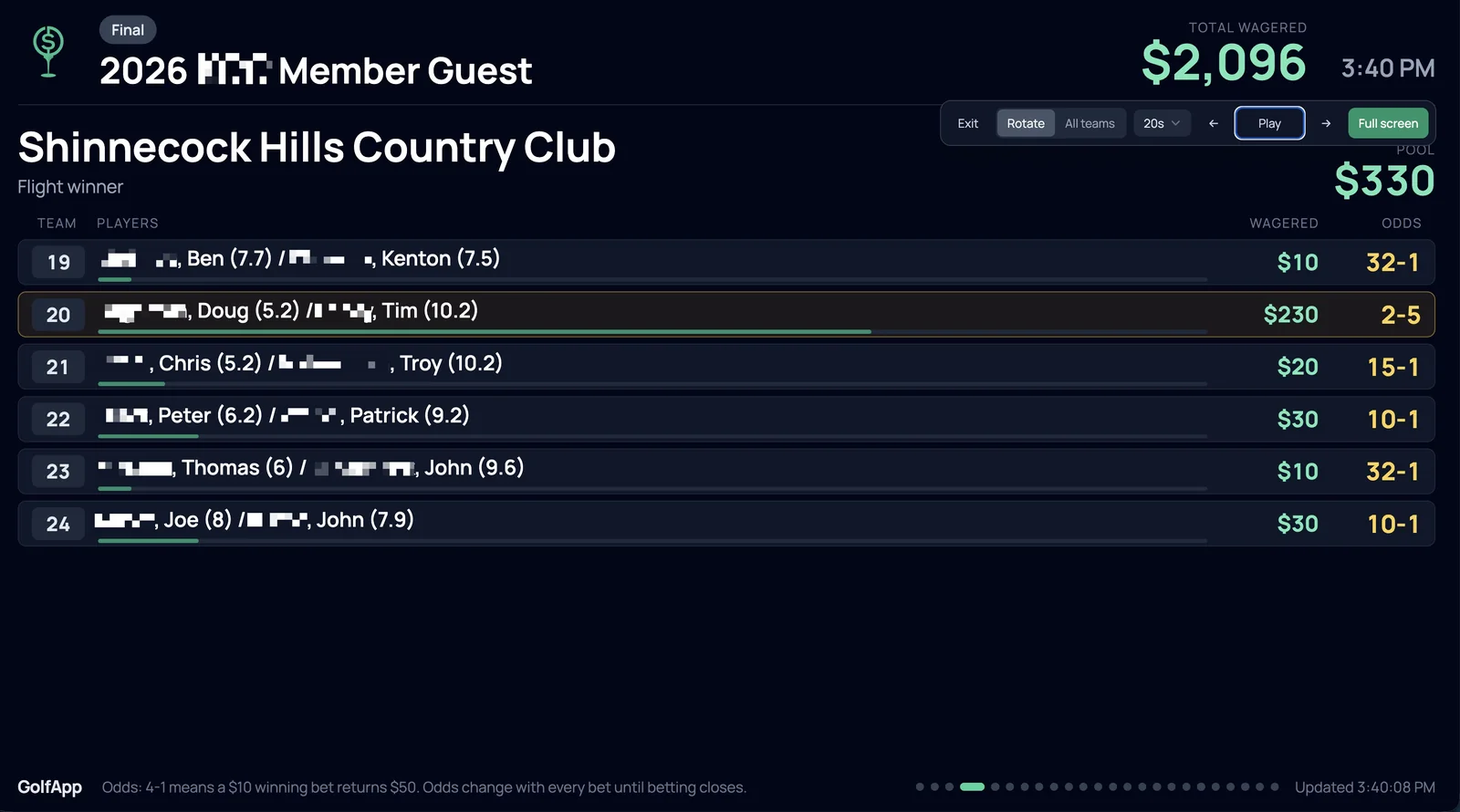
Shows one flight at a time, full screen. You get each player's name and handicap index, plus a bar under each team showing their share of the flight's pool. The favorite is outlined.
Reading the odds
Odds are written as what you win against what you bet. 4-1 means a $10 winning bet returns $50 — your $10 back plus $40. 2-5 means the team is a heavy favorite: a $10 bet returns $14.
It stays current on its own. The board updates as bets come in, so you can leave it up all week. Because it's a shared pool, the odds shift with every bet until betting closes.