Every round you've played lives in the History tab. Once that list gets long, search is the fastest way back to a specific day — the money game at the member-guest, the trip two summers ago, the round you finally broke 80.
Opening search
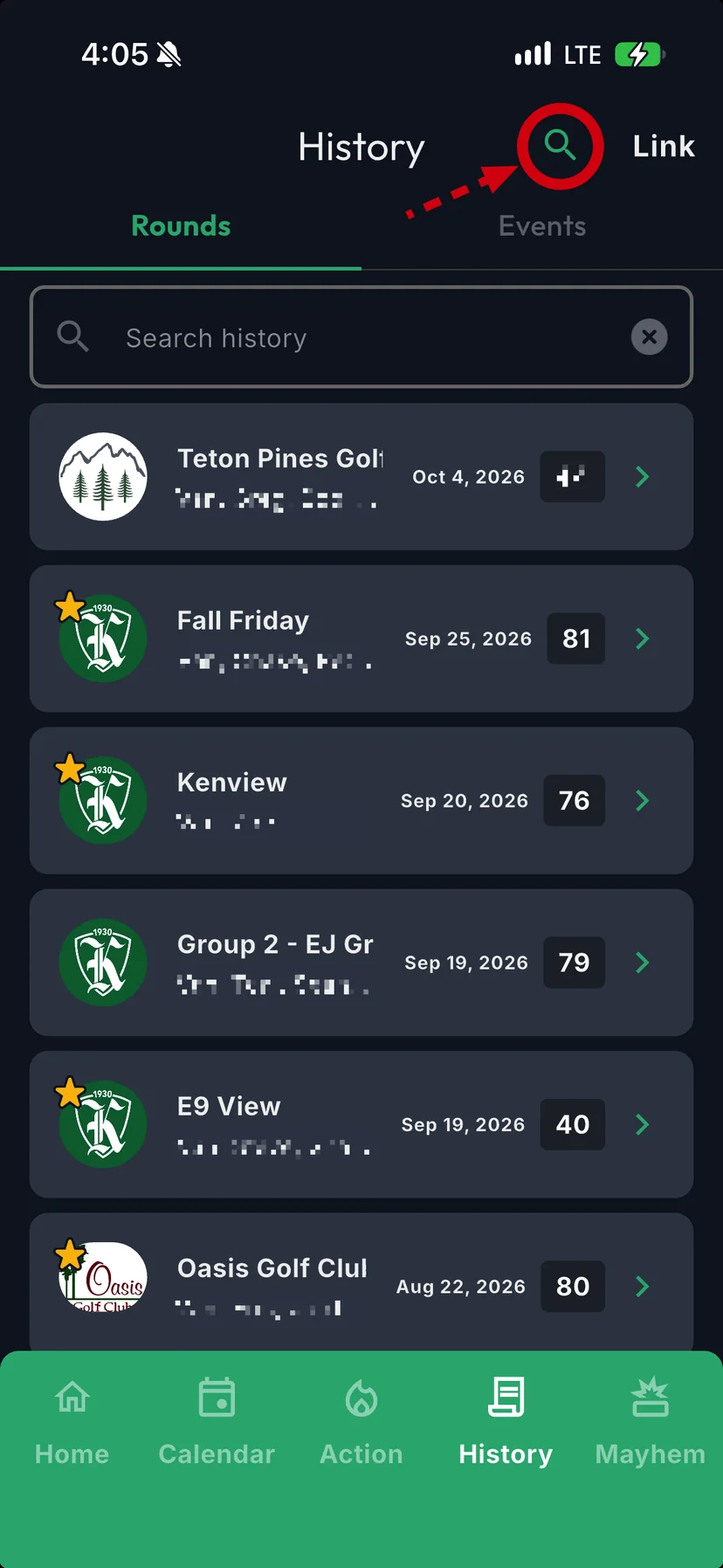
On the History tab, tap the search icon at the top of the screen. A search bar opens above your rounds.
Tap the icon again to tuck the search bar away. Tapping the x clears what you typed.
What you can search for
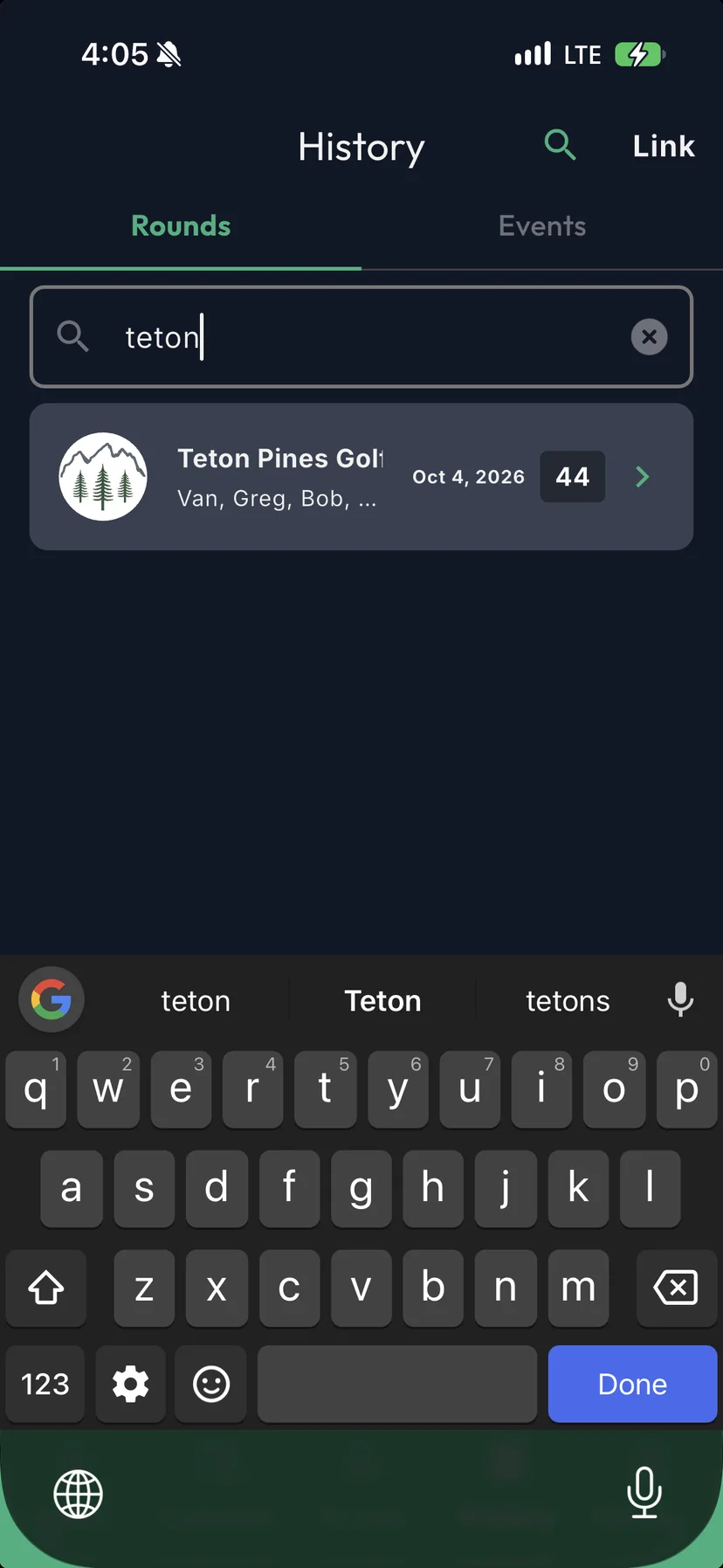
Type part of a name and the matching rounds show up as you go. You don't need the whole word.
- The people you played with. Searching Greg finds every round you played with Greg — and with Gregory.
- The course. Searching Pine finds Pine Valley and Pinehurst.
- The round name. If you named it — "Fall Friday," "Myrtle Beach 2025" — search for that.
Tap any result to open the round, with its games, scores and photos.
Rounds only: search covers the Rounds list. Events have their own tab under History.