You're on the 11th tee. Somebody asks where the match stands.
Four guys reach for their phones. Three of them unlock, hunt for the app, wait for a screen to load, and squint at a scorecard. The fourth one just says "we're 1 down, and Pete gets a stroke here."
That guy has a Live Activity.
What it is
A Live Activity is your game, live, on your Lock Screen. You don't open anything. You don't unlock anything. You pull your phone out of your pocket, glance, and put it back.
It shows up on its own once the round is going, updates the moment anyone in the group enters a score, and goes away when you're done.
If your iPhone has a Dynamic Island, it's up there too — the hole you're on, sitting at the top of the screen while you do anything else. Touch and hold to expand it and you get the whole card.
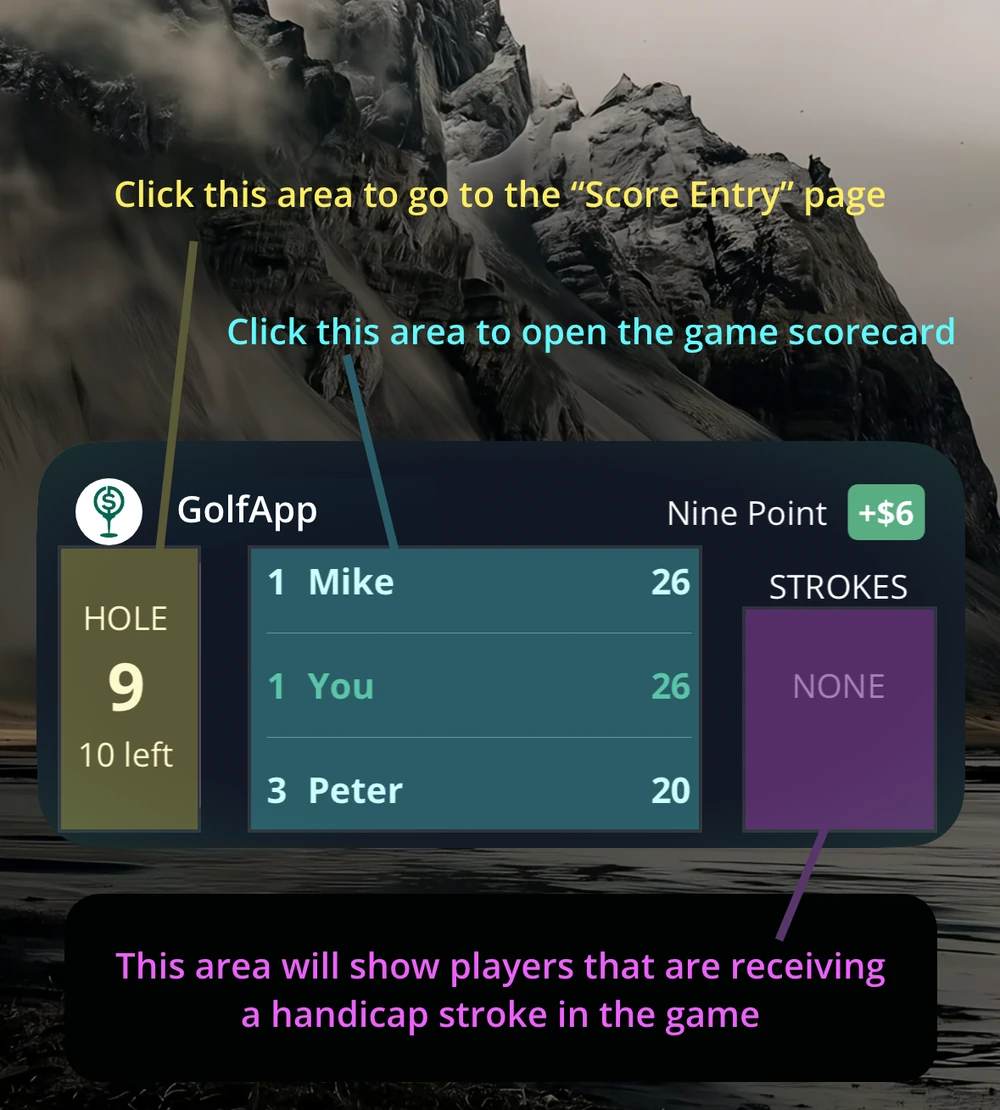
Four things, no tapping
The hole you're on. Left side. Which hole, and how many are left. A quiet little reminder that you've still got time to turn this thing around.
Where the game stands. The middle, and it changes with the game. Nine Point shows running point totals. A Nassau shows front, back, and day — presses included.
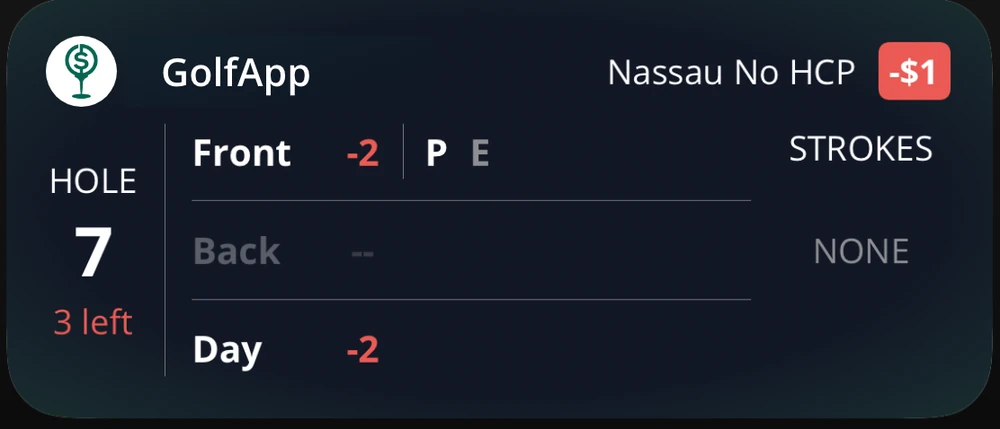
Who's stroking. Right side, and this is the one we're proudest of. It tells you who's getting a dot on the hole you're playing — or the next one nobody's scored yet. No counting backwards from the handicap index. No arguing on the tee box. No conceding a putt you shouldn't have.
What it's worth. Top right, next to the game name, if there's money on it. Green is good. Red buys the beers.
Everybody sees it
This isn't a scorekeeper's tool. The Live Activity shows up for every player in the game. One guy enters a score on the green and three other phones update in his pocket.
No group text with the running total.
No "hey, what am I at?"
No surprises in the parking lot.
It's also a shortcut
The card is tappable. Tap the hole number on the left and you land on score entry. Tap the middle and you're on the full game scorecard. Two of the things you do most in a round, one tap from the Lock Screen.
Playing more than one game?
Of course you are.
The Live Activity follows your primary game. When you've got a few running, we pick a sensible one to start — the bigger the game, the higher it ranks, so a multi-team stroke play across the whole trip outranks the Nassau in your cart. Everybody kicks off on that same game.
But that's just our guess, and it doesn't have to stick. To watch a different one, press and hold that game's tile on the Action tab and tap Activate Live Activity.
That choice is yours alone — it doesn't touch anyone else's phone. You can sweat the Wolf match while the guy next to you watches the team game. Switch as many times as you want; every game keeps scoring in the background no matter which one you're staring at.
Why we built it
Golf is four and a half hours long and about eleven minutes of it are actually spent hitting a golf ball. The rest is walking, riding, waiting, and talking about the bet.
The bet is the fun part. Doing bookkeeping on the bet is not. So we put the answer where you were already looking.
Live Activities are available now on iPhone, free, like everything else in GolfApp. Here's the full rundown if you want the details.
Glance. Know. Play.
Enjoy the mayhem.