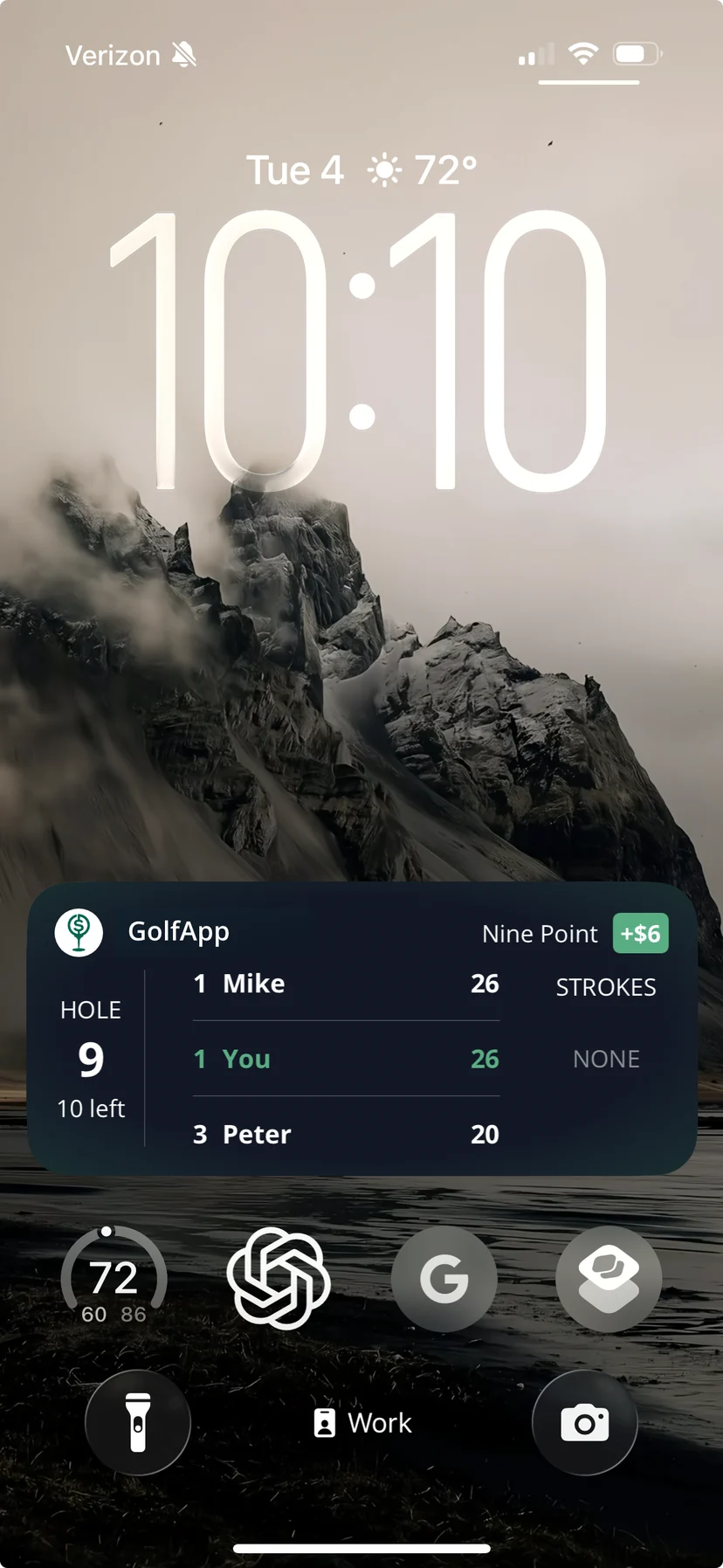
A Live Activity puts your game right on your Lock Screen. No unlocking, no opening the app, no scrolling — just glance down between shots and see exactly where things stand.
It starts on its own once your round is underway, updates as scores come in from anyone in the group, and disappears when the round wraps up.
Everyone playing in the game sees it — not just the person keeping score.
iPhone only: Live Activities are an Apple feature, so they're not available on Android.
On the Dynamic Island too
If your iPhone has a Dynamic Island, your round lives up there while you're using your phone. The compact view shows the hole you're on. Touch and hold to expand it and you get the same full card described below — hole, game status, strokes, and money.
Reading your Live Activity
There are four things packed into that little card. Here's what each one is telling you.
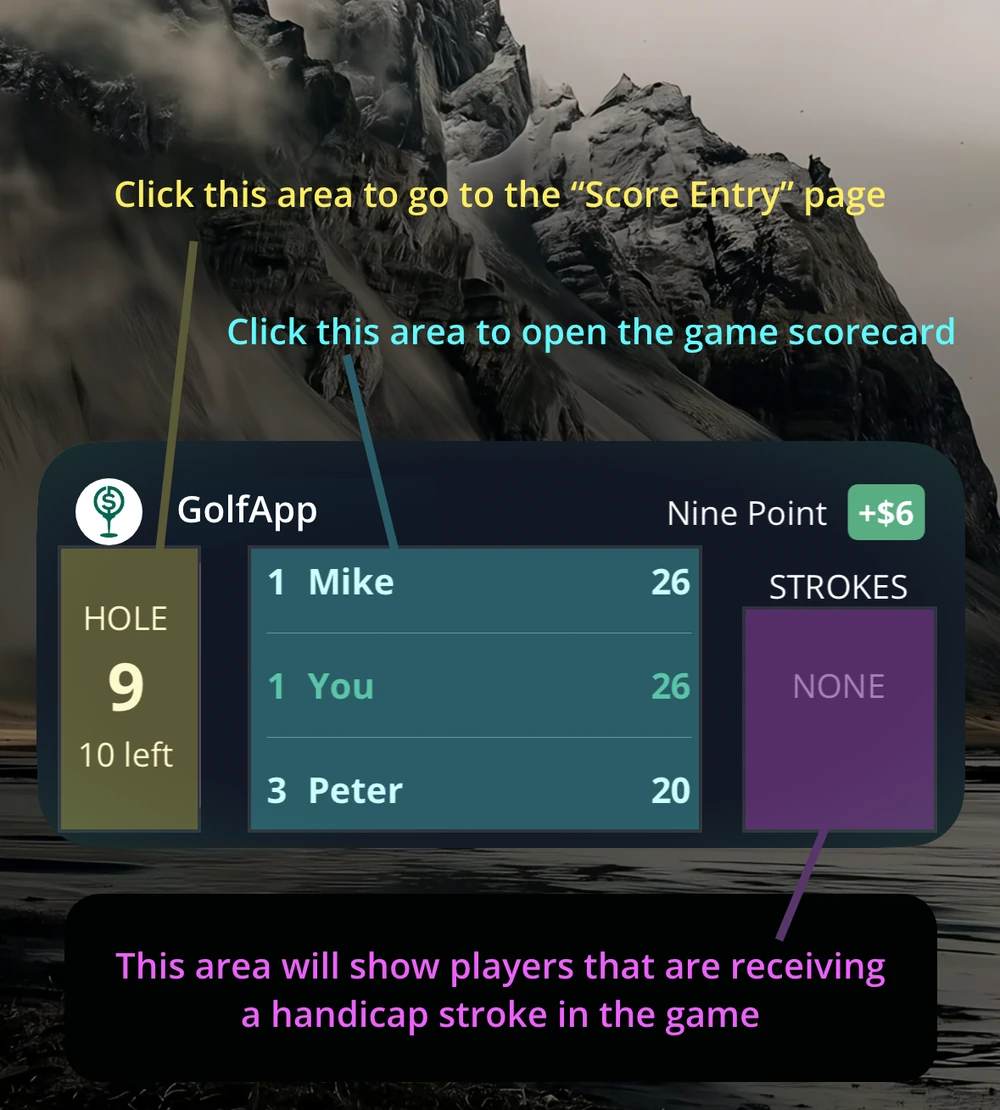
Heads up: the colored boxes above are just there for illustration. Your real Live Activity is one uniform card.
The hole you're on (left)
The left column shows the hole you're currently playing and how many holes are left in the round. Tap it to jump straight to score entry — handy when you've just holed out and want to punch the number in.
Where the game stands (center)
The middle is the game's live status, and it looks different depending on what you're playing. In a Nine Point game it's the running point totals. In a Nassau it's the front, back, and total match. Tap it to open the full game scorecard.
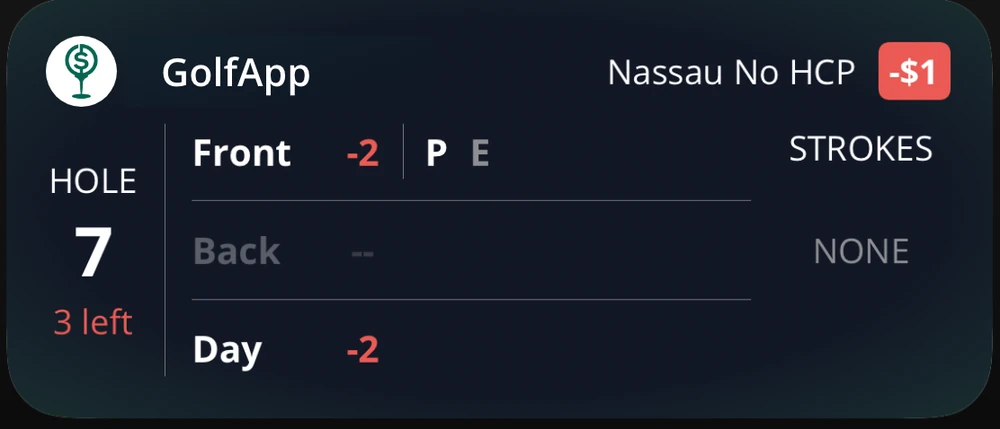
Same card, different game. Here the middle section shows a Nassau — front nine at 2 down with a press in play, back nine not started, and the day at 2 down.
Who's stroking (right)
The right column shows which players are getting a handicap stroke on the current hole — or, if the hole is already scored, on the next one that isn't. This is the number everyone forgets to check before they concede a putt. It says NONE when nobody gets a stroke.
What it's worth (top right)
If the game has money attached to it, your running total sits next to the game name at the top. Green when you're up, red when you're down.
Which game shows up?
Your Live Activity follows your primary game. If you've got several games running at once, we pick one to start with, and everyone in the round starts on that same game.
From there it's yours. You can switch to whichever game you care about most without changing what anyone else sees. See changing your Live Activity game for how.